Your withdrawal from an exchange says "completed," but the balance hasn't shown up in your wallet yet. A friend swears they sent you 0.5 ETH last night. Your accountant wants proof that a specific token has actually sat in your wallet for more than a year. In each of these situations, the fastest way to get a straight answer on Ethereum is Etherscan, the network's leading block explorer.
Etherscan turns the raw data recorded on the Ethereum blockchain into something you can read and search in a browser, without installing any software or running your own node. This guide explains what Etherscan is, walks through exactly how to look up a wallet, transaction, or smart contract, covers the features and safety practices worth knowing, and explains why this free tool matters for crypto tax reporting.
Key Takeaways
- Etherscan is Ethereum's leading block explorer: a free, web-based search engine for wallet addresses, transactions, blocks, and smart contracts on Ethereum and other EVM-compatible chains.
- Core lookups need no account: you can search any address, transaction, or contract without registering, though a free account unlocks extras like the Watch List and Private Notes.
- Looking something up takes two steps: paste an address or transaction hash into the search bar, then read the result page.
- Safety is mostly about the URL: Etherscan only reads public blockchain data, so the real risk is landing on a phishing look-alike rather than the tool itself.
- Etherscan supports your tax records but doesn't replace them: it verifies transaction dates and amounts, but calculating gains, losses, and holding periods across a full tax year still needs dedicated software.
What Is Etherscan? (Simply Explained)
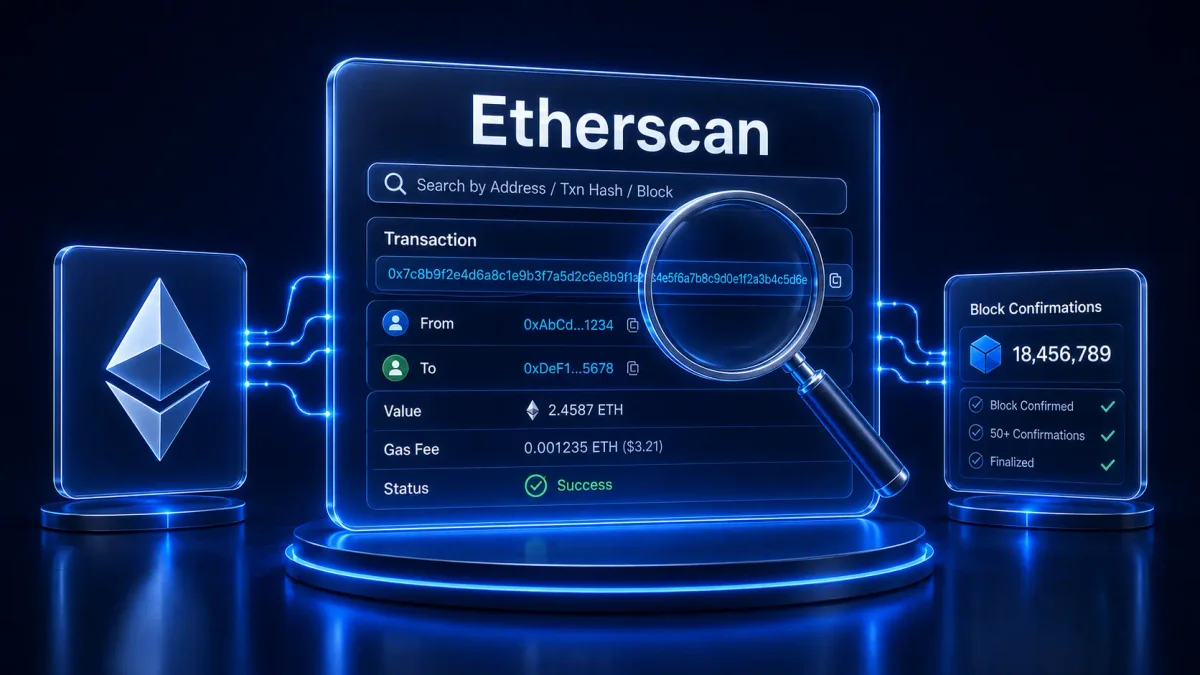
Etherscan is a web-based block explorer for the Ethereum blockchain. Etherscan's own documentation describes it as "the leading blockchain explorer, search, API, and analytics platform for Ethereum and other EVM-compatible chains." In practice, that means you paste a wallet address, transaction hash, block number, or contract address into its search bar, and it returns the exact data recorded on the chain for that query.
Etherscan's own Information Center confirms that its core lookup features are open to everyone: the block explorer service is free, and users are not required to have an account to use any of the provided services. Creating a free account only unlocks a handful of optional extras, covered later in this guide.
Etherscan vs. a Blockchain Explorer, How They Relate
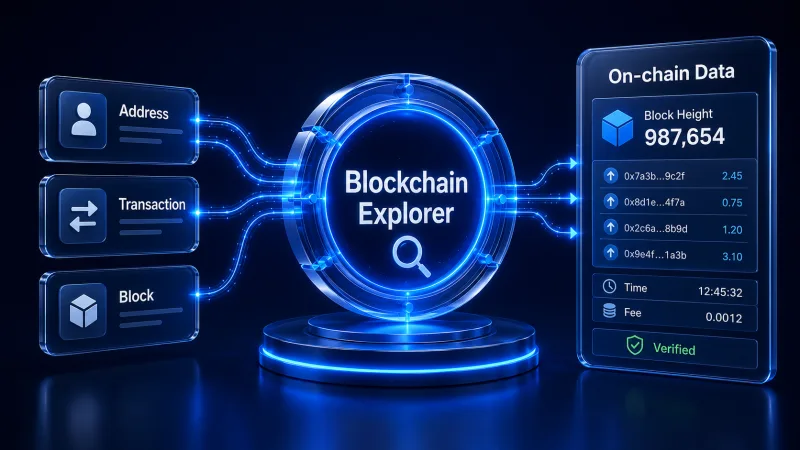
Etherscan is one specific example of a wider category of tool. Our guide to what a blockchain explorer is covers how these tools work in general, across every chain from Bitcoin to Solana. Etherscan applies that same idea specifically to Ethereum and the growing list of EVM-compatible networks that share its technical standards.
How Does Etherscan Work?
Etherscan connects to Ethereum nodes, extracts each new block's data as it's added to the chain, and indexes that information into a searchable database. That's the same basic architecture used by any blockchain explorer: nodes and Application Programming Interfaces (APIs) supply the raw data, and the explorer's own indexing layer is what turns it into something searchable in a second rather than hours. Once a block is indexed, its transactions, addresses, and any smart contract activity it contains become part of the permanent record you can pull up through the search bar. Our blockchain explorer guide breaks that process down in more depth if you want the full mechanics; this guide focuses on what you can actually do with it on Ethereum specifically.
Checking one wallet is easy. Checking fifty isn't.
CoinTracking imports your transactions from over 400 exchanges and wallets automatically, so you don't have to paste every address into Etherscan by hand.
How to Use Etherscan
The interface changes slightly with each Etherscan update, but the core workflow has stayed the same for years: paste what you're looking for into the search bar at the top of the page and read the result. Here's what that looks like for the four things you'll search for most often.
Step 1: Look Up a Wallet Address
- Copy the wallet address you want to check. This works the same whether it's your own crypto wallet or someone else's public address, since every address and balance on Ethereum is visible to anyone.
- Paste it into Etherscan's search bar and press enter.
- Review the address page. You'll see the current ETH balance, a full list of past transactions in chronological order, and, if the address holds any, its ERC-20 token and NFT balances.
This is the same lookup you'd use to confirm a transfer landed correctly from MetaMask or another wallet, since Etherscan reads directly from the chain rather than from any single wallet provider's own records.
Step 2: Look Up a Transaction (TXID)
- Find your transaction hash (TXID), the long string your wallet or exchange gives you after you send or receive ETH or a token, usually labeled "transaction ID" or "tx hash."
- Paste the hash into the search bar on Etherscan. An Ethereum TXID only resolves on an Ethereum explorer; it won't work on a Bitcoin or Solana explorer.
- Read the result. The transaction page shows the sender and receiver addresses, the amount transferred, the gas fee paid, the timestamp, and whether the transaction is pending, confirmed, or failed.
Step 3: Look Up a Smart Contract
Searching a contract address works the same way as searching a wallet, but the result page adds a few extra tabs. If the contract's source code has been verified, you can read it directly, see its current token balances, and review every function call made against it, which matters if you're interacting with a smart contract for the first time or checking a DeFi protocol before connecting your wallet to it.
Step 4: Check Gas Fees on the Etherscan Gas Tracker
According to Etherscan's own Information Center, the Gas Tracker "analyses the traffic on the blockchain and recommends suitable gas prices for transactions to be made at a particular time," which helps with a fee that otherwise depends entirely on how congested the network is at that moment. Gas is priced in Gwei, where 1 Gwei equals 0.000000001 ETH, and the tracker updates its recommendations continuously as network activity changes.
Etherscan Features Worth Knowing
Beyond basic lookups, a free Etherscan account unlocks a handful of features built for people who check the same addresses repeatedly rather than searching a one-off transaction. None of them are required for the core lookups covered above, but they're worth knowing once you're using Etherscan regularly.
- Watch List: tracks addresses you choose and emails you whenever a transaction involving one of them occurs, up to 50 addresses per account, according to Etherscan's Information Center.
- Private Notes: lets you tag a transaction or address with a personal note that's only visible to you once you're logged in, useful for remembering why you made a specific transfer months later.
- Token Approval Checker: lists every smart contract you've approved to spend your tokens and how much they're authorized to take. This matters because many approvals grant unlimited spending access by default, and Etherscan's own Information Center points to a documented case of a user losing $140,000 worth of a token through exactly this kind of unrevoked approval.
- API access: Etherscan also offers a free API tier for developers who want to pull this same data into their own tools and applications, with paid plans available for higher request volumes.
Manual checks don't scale to a full tax year
Verifying one wallet on Etherscan is straightforward. Doing that for every trade across every exchange and wallet you used this year is not. CoinTracking automates that reconciliation once you're ready to move from spot-checking to a finished report.
Is Etherscan Safe to Use?
Etherscan only reads public blockchain data. Searching a wallet address or transaction doesn't require connecting a wallet, entering a private key, or exposing your funds in any way, so the lookup itself carries no risk to your assets. The real risks sit elsewhere: the domain you land on, and what the data itself can reveal about you.
Avoiding Phishing Clones and Fake "Etherscan" Sites
The genuine site is etherscan.io. Because Etherscan is one of the most-searched tools in crypto, look-alike domains and phishing pages that copy its design are a real and recurring problem across the industry, which is why bookmarking the official URL and checking it carefully before pasting in a seed phrase or connecting a wallet is worth the extra few seconds.
If you ever spot an address you believe is being used for a scam, Etherscan's own Information Center explains that you can flag it directly: search for the address, open the "More" dropdown next to "Add to Watchlist," and select "Report/Flag Address" to submit the details through the Etherscan Phishing Form. Etherscan's team then reviews each report, and addresses proven to be involved in a scam or phishing activity get labeled with a public notice on the address page so other users can see the warning before they interact with them.
What Etherscan Can and Can't See
Ethereum's transparency cuts both ways. Anyone, including Etherscan, can see a wallet's full balance and transaction history, but wallet addresses themselves are pseudonymous rather than tied to a name by default. Treat any address you've used publicly, in a social media post, an invoice, or a public donation link, as no longer fully private, since connecting an address to a real identity is a well-documented technique once that link exists somewhere public. This is worth keeping in mind before you post a wallet address anywhere you wouldn't want linked back to you later.
Why Etherscan Matters for Crypto Tax Reporting
Most guides to Etherscan stop at lookups and safety. Few mention the reason a lot of Ethereum holders actually open the site in the first place: verifying something for their taxes. Etherscan is a public, timestamped record of every transaction ever made on Ethereum, which makes it a genuinely useful tool for crypto tax reporting even though it wasn't built for that purpose.
Verifying Transaction Dates and Cost Basis
For U.S. tax purposes, digital assets are treated as property, not currency. The IRS requires you to report the transaction date, the number of units, and the cost basis for each asset sold in order to calculate a gain or loss. Etherscan gives you the exact transaction date and amount straight from the chain for any Ethereum transaction, which is exactly the raw data that feeds into that calculation. See our guide to crypto taxable events for a full breakdown of which transactions actually trigger a reportable gain or loss.
Cross-Checking Exchange Withdrawals and Deposits
Exchange CSV exports occasionally have gaps, duplicate rows, or missing withdrawal records, especially for older or less actively maintained platforms. When a number in your records looks off, particularly around the moment a withdrawal leaves an exchange and lands in your own wallet, pasting the transaction hash or address into Etherscan is the fastest way to confirm what actually happened on-chain and compare it against what your exchange statement shows. If the amounts don't match, you've likely found a fee, a delay, or an import error worth investigating before it throws off an entire tax report. If checking addresses one at a time gets tedious, you can instead import your transactions from over 400 exchanges and wallets and let the software flag the mismatches for you.
Documenting Source of Funds
Holding periods determine how a gain is taxed. If you hold an asset for more than one year before you dispose of it, your capital gain or loss is long-term; holding it one year or less makes it short-term. Without a specific identification, the IRS defaults to FIFO, applied separately within each wallet or account, which makes FIFO cost-basis calculations depend directly on verifiable acquisition dates. A block's timestamp on Etherscan is exactly that kind of public, verifiable record.
The same on-chain trail also supports a Source of Funds record: documentation that traces a specific holding back to where it originated. Financial institutions are expected to understand the nature of a customer's account activity as part of their compliance obligations under FinCEN's Customer Due Diligence Rule, and a bank or exchange asking where a large crypto deposit came from is a common trigger for this kind of documentation. Etherscan lets you show the public, timestamped path a coin took on Ethereum, which is exactly the evidence a Source of Funds report is built from. This also matters when moving crypto between your own wallets; our guide on whether wallet-to-wallet transfers are taxable covers why a clear on-chain record still matters even when no sale takes place.
Why Etherscan Alone Isn't a Tax Report
Etherscan shows you raw, unlabeled data one transaction at a time. It doesn't know your cost basis, doesn't convert historical values into your local currency, and can't apply an accounting method like FIFO across hundreds of Ethereum transactions spread over multiple wallets and exchanges. Reconstructing a full tax report by hand from Etherscan lookups alone becomes impractical once you have more than a handful of trades, which is exactly where dedicated crypto tax software picks up.
Let software do the reconciliation
CoinTracking automatically matches your on-chain Ethereum activity with your exchange history and calculates gains, losses, and holding periods for you.
Etherscan Alternatives by Chain
Etherscan only covers Ethereum and other EVM-compatible chains. If you also hold assets on Bitcoin, Solana, or another non-EVM chain, you'll need that chain's own explorer instead, since a wallet address or transaction hash from one chain won't resolve on an explorer built for a different one. BscScan covers BNB Chain, PolygonScan covers Polygon, Arbiscan covers Arbitrum, and Solscan covers Solana. Our full blockchain explorer guide lists the leading explorer for every major chain in one place, including multi-chain tools that search several networks at once without needing a dozen separate bookmarks. If you're setting up a new EVM network for the first time, our guide on adding Polygon to MetaMask covers the wallet side of working across chains like these.
Conclusion
Etherscan is the fastest way to verify what actually happened on Ethereum: paste a wallet address, transaction hash, or contract, and you get the real, timestamped record straight from the chain, free and without an account. That makes it genuinely useful for spot-checking transfers and, less obviously, for supporting your crypto tax records. What it won't do is turn hundreds of scattered Ethereum transactions into a finished tax report; for that, you still need software that can import, reconcile, and calculate across every wallet and exchange you use, which is exactly where CoinTracking picks up where Etherscan leaves off.
From on-chain data to a finished tax report
CoinTracking has tracked crypto portfolios and calculated taxes for over 2.2 million users since 2012, across more than 400 exchanges and wallets.
Disclaimer
The information provided in this article is intended for general informational purposes only and should not be construed as financial, tax, or legal advice. Etherscan's interface and features change over time, and specific tax treatment of crypto transactions depends on your jurisdiction and individual circumstances. Readers are encouraged to conduct their own research and consult with a qualified tax professional before making decisions based on the information presented here. The author and publisher are not responsible for any losses or damages incurred as a result of using the information in this article.